Permission Levels: Why Can't I See Some Buttons?
When an email you were expecting does not arrive, DeepFilter has usually found it suspicious and put it in quarantine. Quarantine is where emails that were set aside before reaching you wait safely. But they do not wait indefinitely: quarantine records are kept for the retention period set by your administrator, and records not acted on within that time are cleaned up automatically.
How much you can do with these quarantined emails is not up to you but to the permission your administrator has defined for you. Some users can send an email straight to their own inbox (releasing); others can only look inside it. That is why you may not see a button in the portal that a colleague can see. You have not broken anything — your permission is simply set that way.
This permission is not personal; it is set according to the domain of your email address (the part after the @ sign, for example company.com). Every employee using the same domain has the same permission. If a colleague sees a button you do not have, they are most likely using a different domain.
Here is how the portal looks to a user with view-only permission:
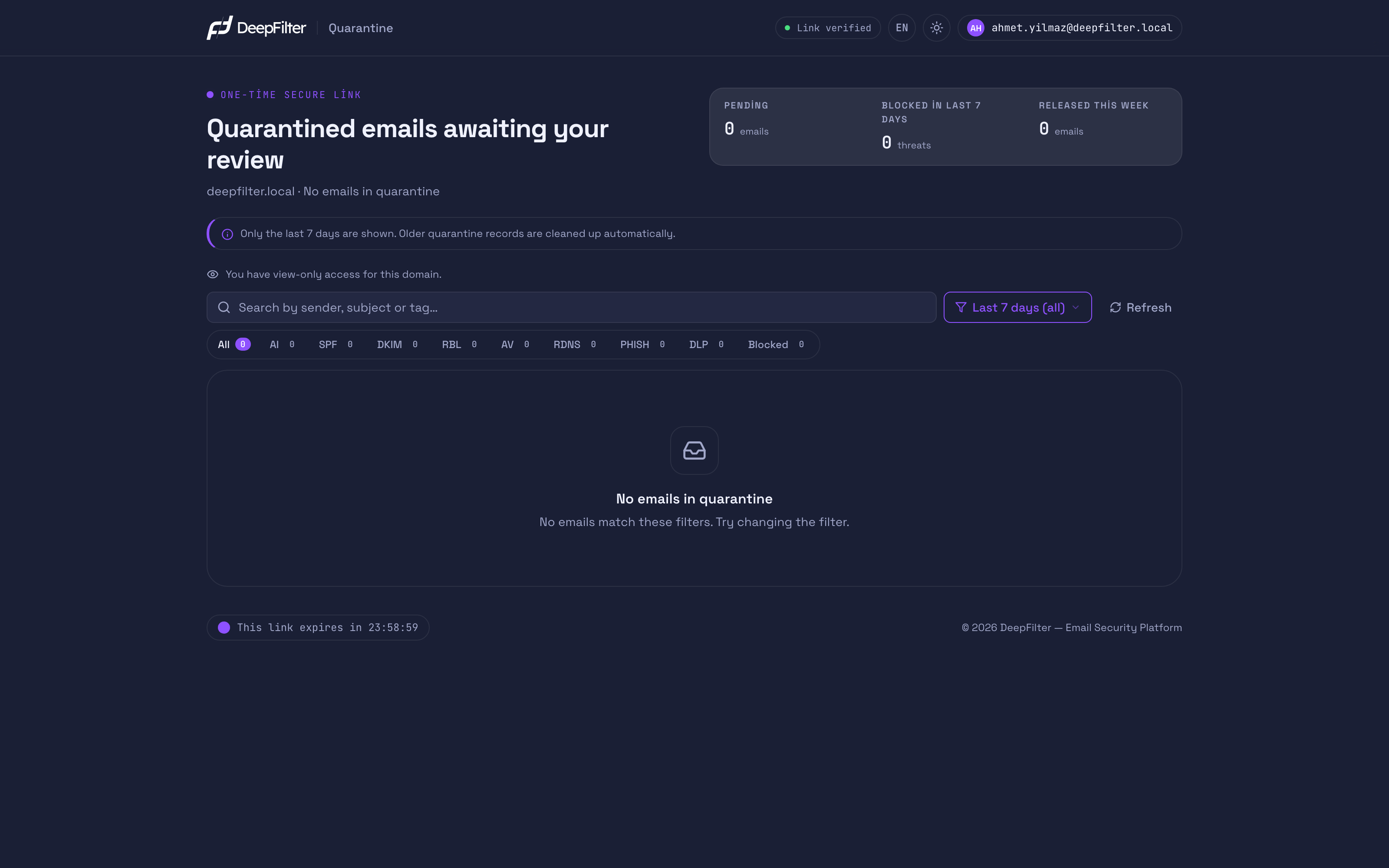
The three permission states
Your administrator sets one of these three states for you:
Full permission (the most common state). You see, preview and manage the emails in quarantine. You can release an email (send it to your inbox), delete it, and edit your own Allow List and Block List. This is the default state unless your administrator has applied a restriction. (The one exception: emails whose sender identity cannot be verified; see Troubleshooting.)
View only. You see the emails in quarantine and can look at their content (preview). However, the release, delete and allow/block list buttons are not shown to you. If you want an email to reach your inbox, you ask your administrator to release it.
Portal disabled. You do not receive Quarantine Summary emails and cannot open the portal. Your administrator sees and manages all of your suspicious emails; however, quarantine records are kept only for the retention period here too, and records not acted on within that time are cleaned up automatically.
What can I do at each permission level?
| What you can do | Full permission | View only | Portal disabled |
|---|---|---|---|
| Receive Quarantine Summary emails | Yes | Yes | No |
| Open the portal | Yes | Yes | No |
| See and preview emails | Yes | Yes | No |
| Release | Yes | No | No |
| Delete | Yes | No | No |
| Use the allow / block list | Yes | No | No |
Getting your permission raised
You cannot change your own permission level; only your administrator sets it. If a button you need is missing, the path is clear.
Prerequisites
- Know who manages DeepFilter at your company (usually your IT contact).
Steps
- Get in touch with the DeepFilter administrator at your company.
- State clearly what you need: "I want to be able to release the emails in quarantine."
Verification — how to know your permission was raised
- The next time you enter the portal through the link in a Quarantine Summary email, the buttons you could not see before (release, delete, allow/block list) become visible.
Changing a permission takes your administrator a few seconds. Just tell them what you want to do (for example, "release emails"); you do not need to give any technical details.
Troubleshooting
"I cannot see the release button." You most likely have view-only permission. You can see emails but not send them to your inbox. If you want a pending email to reach you, ask your administrator to release it or to raise your permission.
"I never receive Quarantine Summary emails." Your domain may be in the Portal disabled state. In that case your administrator manages your suspicious emails. If you want to see them yourself, ask your administrator to enable access. Since quarantine records are kept only for the retention period, an email must be released within that time so that it is not lost.
"I used to be able to open the portal, but now the link does not work." Your administrator may have moved your domain to the Portal disabled state. In that case the links in the older Quarantine Summary emails you already have will not open either. Contact your administrator to have your access restored.
"I have full permission, but one email shows a lock icon instead of release." That email is under extra protection: it contains malware, it contains a blocked file type, or its sender's identity could not be verified (an organization or a person you know may be being impersonated). The preview shows which one applies. For your safety, end users cannot release emails like this. If you are sure it really is safe, ask your administrator to release it.